
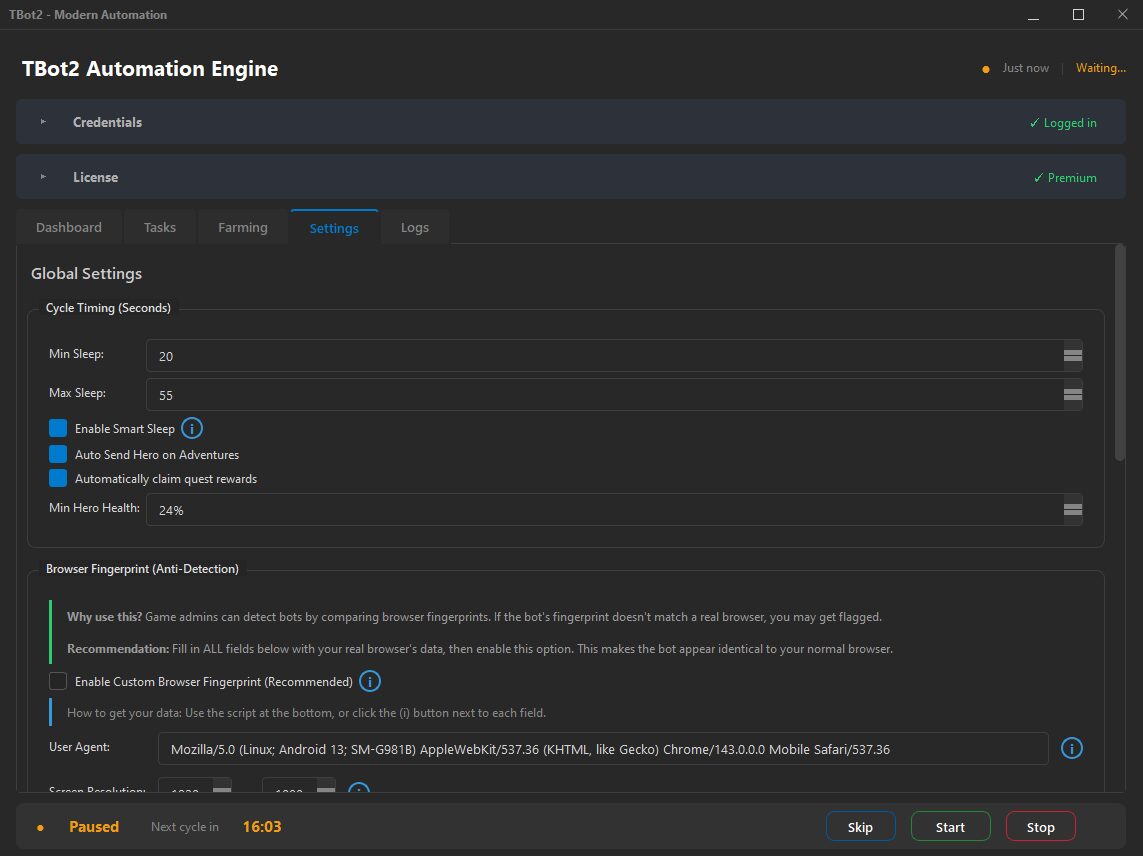
Complete Profile Control
TBot2 lets you control the main browser profile details: user agent string, platform, screen resolution, hardware concurrency, device memory, WebGL renderer and vendor, timezone, language, and more. Each parameter can be set manually or generated as a consistent preset.
Profile Generator
Do not want to configure every parameter manually? TBot2 can generate an internally consistent browser profile with one click. A Windows user agent gets Windows-appropriate screen sizes, WebGL renderers, and hardware specs.
Per-Account Assignment
Each managed account gets its own browser profile configuration. When TBot2 switches to a different account, it applies the matching profile automatically. Combined with per-account proxy settings, this keeps workspaces clearly separated.
Required Before Start
TBot2 asks you to review browser profile settings before a session starts. That makes the setup explicit instead of leaving important account details hidden or easy to forget.
Shift-Compatible
Browser profiles work with TBot2 dual and shift system. Different shifts can use different profile settings, which is useful when you organize shared-account routines across time windows.