
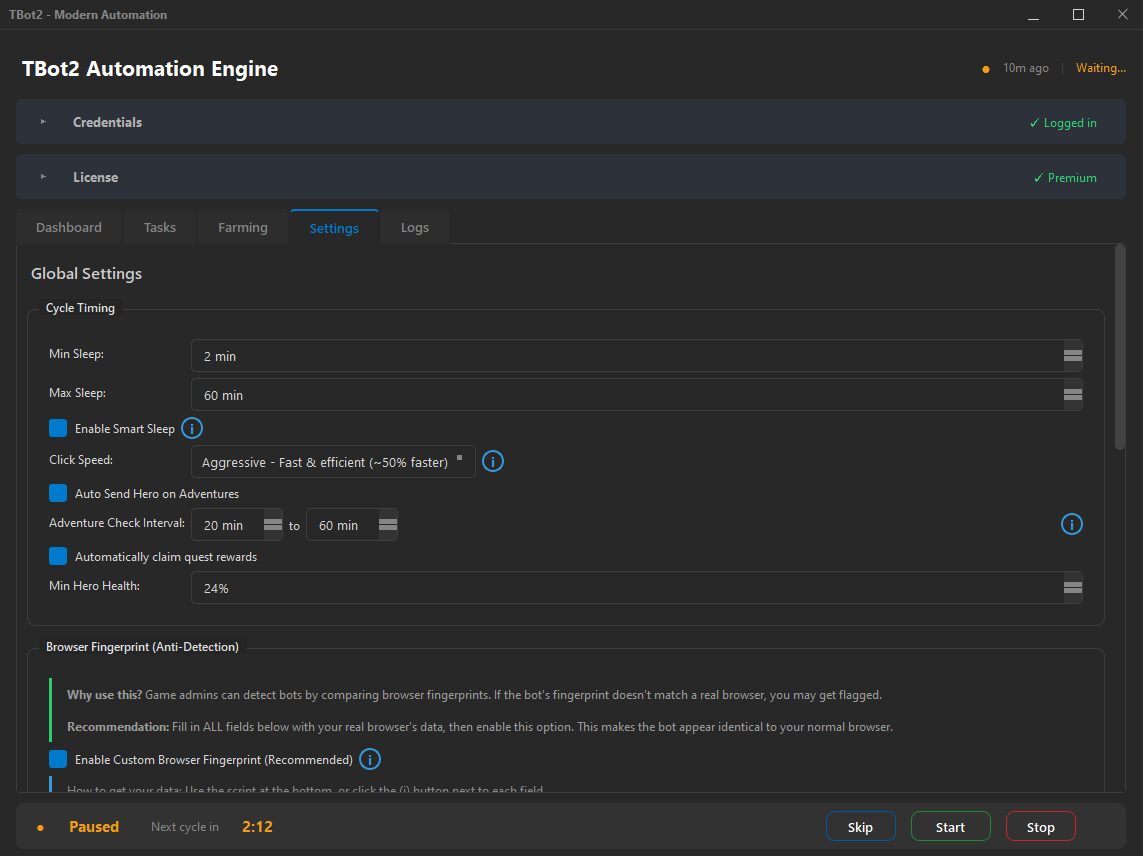
Three Speed Modes
Aggressive mode is for faster operation, mimicking a skilled player who clicks quickly and knows exactly what they're doing. Medium is the balanced default, representing a typical player. Slow mode is more relaxed, like a casual player who takes their time. Choose what fits your situation best.
Global Speed System
Each mode applies across all actions throughout TBot2, including delays between operations, navigation patterns, and timing variations. Every single action is affected by your speed choice, not just specific ones. This creates a consistent experience.
Adjusted Rest Periods
When TBot2 needs to pause between actions, the duration is scaled to your chosen mode. Aggressive mode means shorter pauses. Slow mode means longer ones. The result is a consistent feel across all bot activity that matches your selected playstyle.
Navigation Patterns
TBot2 moves around the game interface differently based on your speed setting. Aggressive mode uses quicker navigation. Slow mode takes a more deliberate approach. Navigation style contributes to overall feel and efficiency.
Click Behavior
How TBot2 interacts with buttons and elements is also adjusted based on your speed setting. The timing is balanced so interactions feel natural at any speed level, with appropriate variation built in.
Built-in Variance
Every timing includes random variance so no two actions happen at exactly the same speed. This natural variation makes patterns feel authentic and keeps everything running smoothly regardless of which mode you choose.