
TBot2 Kingdoms field note
Inside the Kingdoms command center
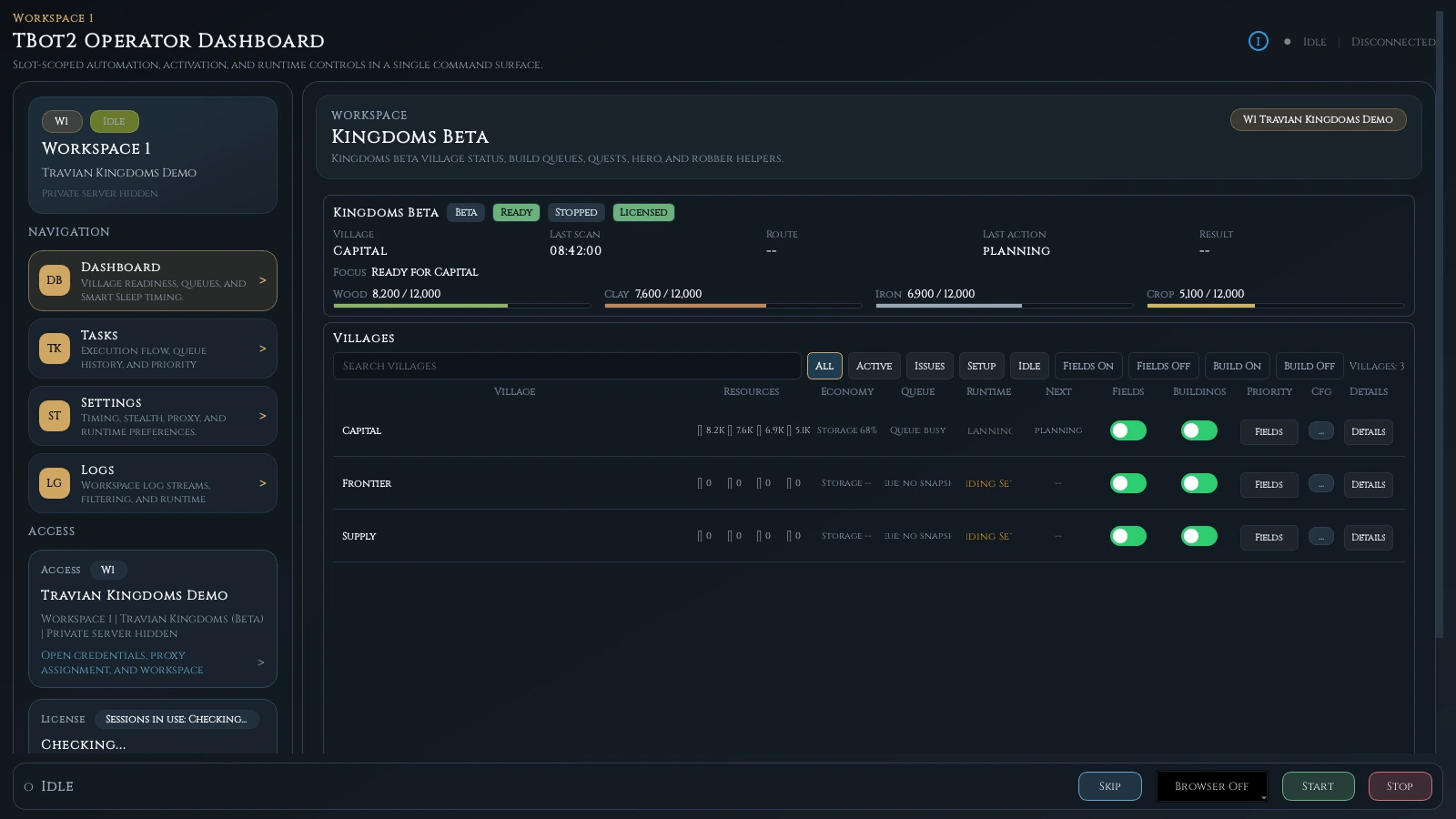
The command center is designed to answer three questions quickly: where am I, what is ready, and what will happen next?
Key takeaways
- Orientation comes before automation
- Every village keeps its own observed state
- Live Kingdoms queues stay separate from TBot plans
- Helper schedules explain account-level work
Start with account orientation
The top of a useful operations view should establish the selected Kingdoms workspace, world and readiness state. If manual login, lobby selection or world entry is required, that condition is more important than any stale village number below it.
TBot’s recovery workflow owns these transitions serially. The rest of the dashboard should be read as current only after the Kingdoms surface and selected village are coherent.
Read village rows as decisions
Each village row brings together observed resources, storage pressure, queue state, next eligible work and enablement. The goal is not to reproduce every game screen; it is to show what changes the scheduler’s decision.
A capital may need an urgent storage prerequisite while a frontier village has affordable planned work. The command center makes those differences comparable without merging their state.
- Resources and storage pressure
- Live construction and planned backlog
- Readiness, blockers and next action
- Per-village automation controls
Separate what exists from what is planned
The live queue represents construction Kingdoms has already accepted. The planned backlog represents the work you asked TBot to consider later. Combining the two would make it difficult to know whether an item is real, waiting or blocked.
That visual separation also supports safer recovery. After a restart, the live surface can be reconciled against durable planned work before another action is considered.
Use the ledger to understand timing
Quests, rewards, hero checks and recovery are account-level or helper jobs with their own due times. The automation ledger shows when they last ran, what happened and when they become useful again.
Smart Sleep combines these jobs with village work. Instead of constantly refreshing whichever village is open, TBot can explain the earliest useful wake across the account.
Continue with the product
Product and responsibility note
Kingdoms is coming soon and will be included with the standard TBot2 license at launch. All capabilities remain launch previews while production verification continues. Use of third-party software is at the player’s discretion; review the applicable game rules and current release ledger.